


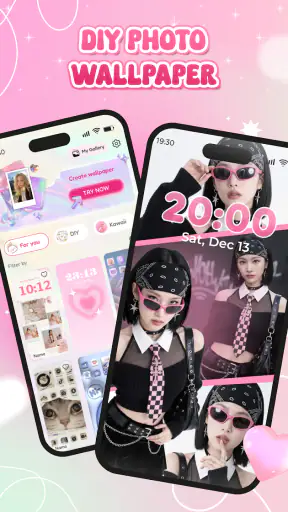
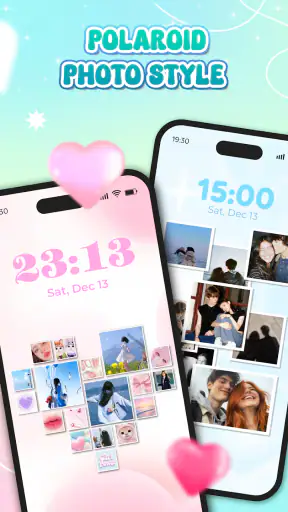
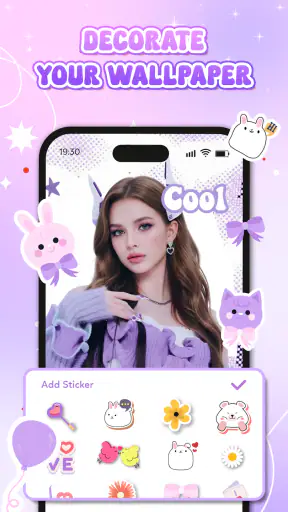
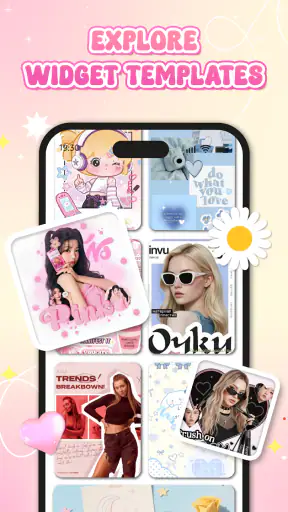
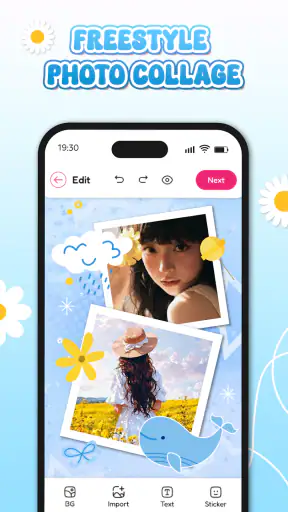
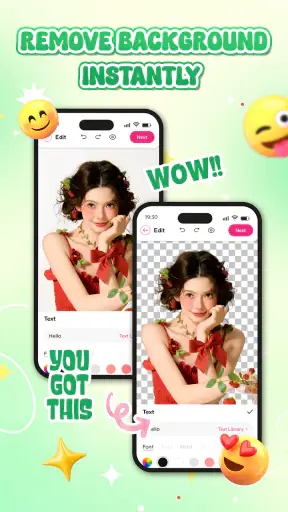
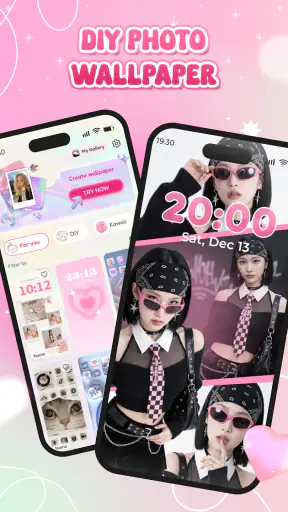
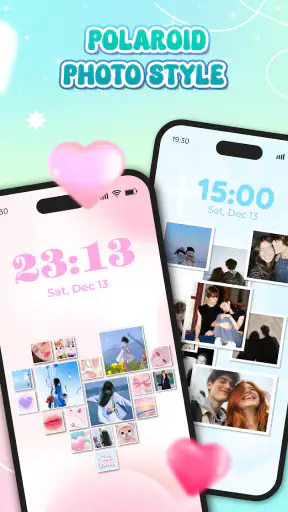
I tend to judge personalization apps by one simple question: do they help me make a screen feel like mine without turning a small creative task into a project? DIY Wallpaper Maker Collage approaches that question from the practical side. Instead of asking me to search endlessly for a finished background, it gives me a place to build one from my own images and arrange them into a wallpaper or collage.
That makes it more interesting than a standard wallpaper browser, but also more dependent on my patience and taste. I have to choose the pictures, decide how much visual clutter I can tolerate, and accept that a good result usually comes from a little adjustment rather than a single tap. After spending time with it, I see it as a focused creative tool in the personalization category, especially for people who want their home screen to reflect a mood, a trip, a hobby, or a small collection of favorite moments.
My short recommendation is this: use it when you want a personal composition, not when you simply need a ready-made background immediately. That distinction explains both its strongest point and its main limitation.
What I looked for before recommending it
When I compare a wallpaper maker with the usual alternatives, I look at four things: how quickly I can reach a usable result, how much control I have over the arrangement, whether the finished image remains comfortable behind icons, and how much effort I will need if I change my mind later. A beautiful collage that makes app labels hard to read is not a successful wallpaper for me.
I also consider the kind of material I already have. Someone with a folder full of travel photos will approach this app differently from someone who wants a minimalist color background. The first person may enjoy selecting and arranging several memories, while the second may find a collage workflow unnecessary. The app is most convincing when the user begins with a clear visual idea.
The current release is version 1.1.2, and it is available as a free app from LeafMotion Software. It is designed for Everyone and works on Android from version 8.0 onward, so it is approachable for people using older compatible phones as well as newer devices. I appreciate that the basic entry point is uncomplicated: there is no purchase decision standing between the idea and the first experiment.
Its public reception also suggests that the concept has found a substantial audience. It carries a 4.3 average from around 8.7 thousand ratings and has passed 5 million installs. I would not treat those figures as proof that every person will enjoy the editing process, but they do make the app feel established enough to try rather than experimental in the uncertain sense.
The first useful test: can the wallpaper survive real phone use?
My most important test was not whether I could make a pretty collage in an empty editor. It was whether the result still worked once icons, widgets, notification badges, and changing light entered the picture. A personal wallpaper needs breathing room. If every part of the image competes for attention, the home screen becomes tiring.
I found that the best approach is to decide where the visual weight should sit before adding too many pictures. For example, if the upper area of the phone is usually busy with status information, I would avoid placing the most detailed photo there. A quieter image or a less crowded section gives the interface room to remain readable. This is an easy step to overlook because the editor encourages creativity, but it makes a noticeable difference after setting the result as the background.
Another practical habit is to create a version with fewer images than the first instinct suggests. Collages often look exciting while I am making them because each picture has a personal meaning. On the finished screen, however, several equally strong images can flatten the overall effect. Selecting one main image and treating the others as supporting details usually produces a calmer result.
Where DIY Wallpaper Maker Collage feels strongest
The app’s clearest advantage is ownership. A wallpaper from a gallery can match a color scheme, but it rarely carries the same connection as a background built from my own photographs. I can turn a collection of ordinary pictures into something that feels deliberately designed for my phone rather than selected from a catalog.
That is particularly useful for small, repeatable projects. I can imagine making a seasonal screen, a birthday collage, a set of pet photos, or a visual reminder of a recent trip. These are not professional design assignments; they are personal arrangements that benefit from being quick and informal. The app’s purpose fits that scale well.
I also like the way the collage idea changes how I use older images. A single photograph may not be strong enough to occupy an entire screen, perhaps because the framing is awkward or the subject is too small. In a collage, that same image can become one piece among several. This gives less-than-perfect photos a second life instead of leaving them buried in storage.
A less obvious strength is that the app encourages editing with the final screen in mind. When I use a normal image editor, I often focus on the picture itself and only later discover that the phone interface covers an important detail. A wallpaper-specific workflow keeps the destination visible in my thinking. I am not merely decorating an image; I am preparing a background that has to coexist with the operating system.
For families, the app can also be a low-pressure way to make a shared device feel more personal. A child can choose favorite pictures, while an adult handles the final arrangement so the screen stays readable. Because the app is rated for Everyone, it is easier to consider for that kind of casual creative activity, although the quality of the result will still depend on supervision and the images selected.
A realistic everyday use case
Imagine returning from a weekend away with a mixture of landscape shots, food photos, and quick snapshots of friends. I would not want to use every picture, and I would not necessarily want one image enlarged until its imperfections became obvious. I would select a small visual story instead: one wider scene as the anchor, a couple of closer details, and perhaps a quieter image to prevent the composition from becoming noisy.
Before saving, I would check the screen at the size where I normally use the phone, not only while zoomed into the editor. I would look for faces hidden by icons, bright areas behind text, and edges that make the layout feel cramped. If the home screen looks busy, I would remove an image rather than adding more decoration. This workflow is where the app earns its place: it turns a folder of memories into a usable daily background with a personal connection.
Small decisions that improve the final result
The first tip I would give a new user is to prepare a shortlist before opening the editor. Browsing through an entire camera roll while arranging a wallpaper makes the creative process feel slower and encourages random choices. A small group of related images gives the collage a visual direction from the start.
The second is to think in terms of contrast rather than only color. Several warm photographs may look cohesive, but if they all contain similar detail, the result can feel flat. Pairing a detailed image with a simpler one creates a natural pause for the eye. This matters even more when the phone uses light-colored icons or text.
The third is to keep an untouched copy of the original photos. A wallpaper composition is a presentation layer, not a replacement for the source images. If I crop or adjust a picture for the screen, I want to be able to reuse the original later for another layout. This is a simple organizational habit, but it reduces the cost of experimenting.
A fourth insight is to make separate designs for different moods instead of forcing one collage to do everything. A dense memory board may be enjoyable for a lock screen, while a quieter arrangement may work better behind home-screen icons. Even without changing the photographs, a different selection and balance can make the phone easier to use.
Where the usual alternatives may fit better
The closest alternative is a regular wallpaper gallery. That option is better when I need instant inspiration or a finished image with no editing time. A gallery can also be preferable if I do not have suitable personal photos. In that situation, the creative advantage of this app becomes less important, and searching for a polished background may be faster.
A general photo editor is another alternative. It may suit someone who wants detailed control over image adjustments, typography, layered compositions, or broader graphic-design tasks. I would choose that route for a poster, social graphic, or carefully prepared artwork that happens to become a wallpaper afterward. DIY Wallpaper Maker Collage makes more sense when the destination is specifically a personalized phone screen.
There is also a difference between a collage maker and a minimalist wallpaper tool. If my goal is a plain gradient, a single texture, or a clean solid color, a dedicated minimalist option will probably involve less work. This app’s value appears when multiple images or a visual story are part of the idea. It is not the right answer to every personalization problem simply because it can create a wallpaper.
Users who expect automatic design decisions may also prefer a more template-driven alternative. I generally enjoy making choices, but not everyone wants to decide how each photograph should relate to the others. If the priority is speed over personal arrangement, a tool that offers ready-to-use layouts may feel more efficient. The trade-off is that the result may look less individual.
On the other hand, people who care about personal photos but dislike the look of a formal collage may want to use one strong image and edit it lightly in another app. The collage format has a recognizable visual character. It can be warm and expressive, but it can also become visually crowded or feel dated if too many elements are added without a clear hierarchy.
What the free price changes
Being free makes experimentation easier. I can try an idea for a particular event or mood without first deciding whether the project deserves a purchase. That matters because the value of a wallpaper maker is personal: one user may create backgrounds regularly, while another may use it only when a special group of photos inspires a new screen.
The cost is mainly measured in attention. I still have to select images, judge the layout, and test whether icons remain readable. A free app is not automatically the quickest option if I am in a hurry. For a one-minute need, a ready-made wallpaper may be the more economical choice in terms of time, even though it costs nothing financially.
I would also avoid switching between several design apps halfway through a project unless there is a clear reason. Moving images between tools can make the process feel fragmented, and it becomes harder to remember which version is final. If the goal is a personal collage rather than advanced photo retouching, staying with this focused workflow is likely to be less frustrating.
The practical switching cost is therefore low for casual users but higher for people who already have a detailed system in another editor. Someone with saved templates, established editing habits, or a need for broader graphic work may not gain enough from moving. Someone starting with a phone gallery and a simple idea has much less to lose and can judge the app quickly through one small project.
Who should try it, and who should skip it?
I would recommend it to people who want their phone to display memories, favorite people, pets, travel moments, or a carefully chosen visual theme. It is also a good fit for anyone who enjoys small creative tasks and prefers making a background rather than browsing for one. The free price lowers the barrier, and support for Android 8.0 or later makes it relevant to a broad range of compatible devices.
I would be more cautious about recommending it to someone who wants a distraction-free screen, a single professional-looking image, or a background ready in seconds. The app can still be used for a restrained design, but its central appeal is the collage process. If that process sounds like work rather than enjoyment, a wallpaper gallery or minimalist tool will probably be a better match.
It may also be a weak fit for users who need highly specialized design control. I would not choose it as my first tool for complex branding, print layouts, or detailed image manipulation. Its strength is the direct connection between personal photos and a phone background, not replacing a full creative suite.
My final decision after using it
DIY Wallpaper Maker Collage is worth installing when the background itself is meant to tell a small personal story. I like that it gives ordinary photos a practical destination and makes personalization feel more meaningful than simply downloading another attractive image. The best results come from restraint: fewer pictures, clear contrast, and deliberate empty space for the phone interface.
My recommendation is conditional but positive. Choose it if you want control over a personal collage and are willing to spend a few minutes refining the composition. Choose a gallery or minimalist wallpaper app if speed, simplicity, or a polished ready-made look matters more than using your own images. In my experience, that is the fairest way to view the app: not as a universal wallpaper solution, but as a friendly creative shortcut for turning personal photos into a screen that feels genuinely yours.
LeafMotion Software has kept the idea focused, and the current version gives the app a clear identity within personalization tools. With its Everyone rating, free access, and broad Android compatibility, it is easy to test without much commitment. I would start with one small project rather than trying to redesign every screen at once. If that first collage makes me smile each time I unlock the phone, the app has already done exactly what I wanted.


